Built for hourly teams
One time clock.
Four ways to clock in.
Tablet, phone, your Clover register, or a tap sticker by the door. Every punch lands on the same timesheet.
Free for up to 10 people · no credit card
Pick the one that fits your floor.
Mix them if you want — the hours land in one place either way.
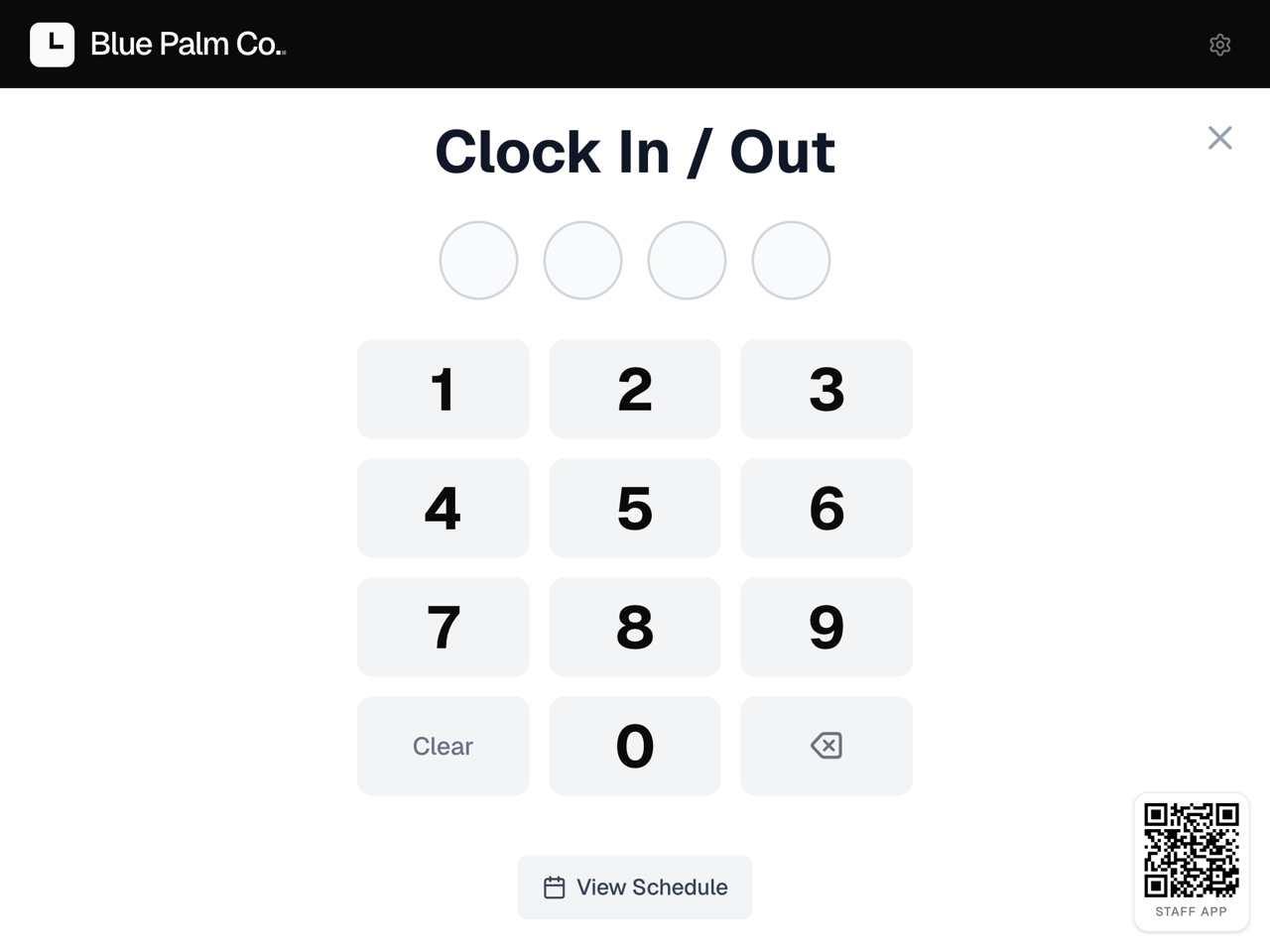
Shared tablet
A 4-digit PIN at the counter. Nothing for staff to install.
Tap sticker
A sticker by the door. Tap a phone to it and the clock starts.
Your CloverSoon
Whoever is signed in to the register taps once.
Clokr runs on its own — no POS needed. Clover and Square connect on every plan.
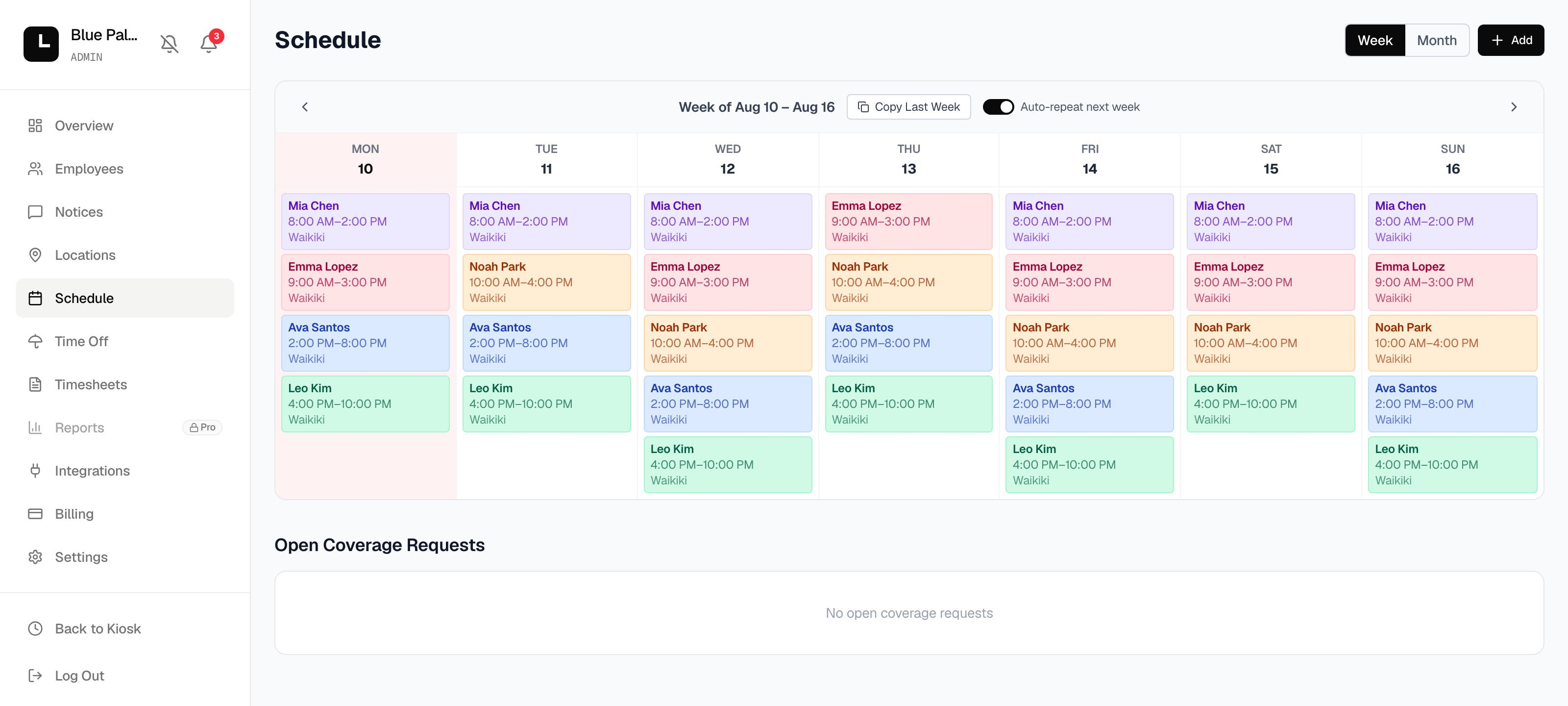
Build the week once.
Copy last week or set shifts to repeat. Everyone sees the current one — on the wall or on their phone.
Only in Clokr
Three things the other apps don't do.
Shifts that price themselves
Someone can’t make it? Coworkers bid to pick it up — the bonus falls until the lowest one wins, and payroll picks it up on its own. Everywhere else, somebody volunteers and a manager sorts it out.
A $1 sticker instead of a tablet
Stick it by the door. Staff tap a phone to it and the clock starts. Nothing to buy, mount or charge.
Their record, before they punch
The screen shows how many times they’ve been late in the last 30 days. Nobody has to bring it up.
And on a Clover register, one tap — coming to the Clover App Market.
See everything it does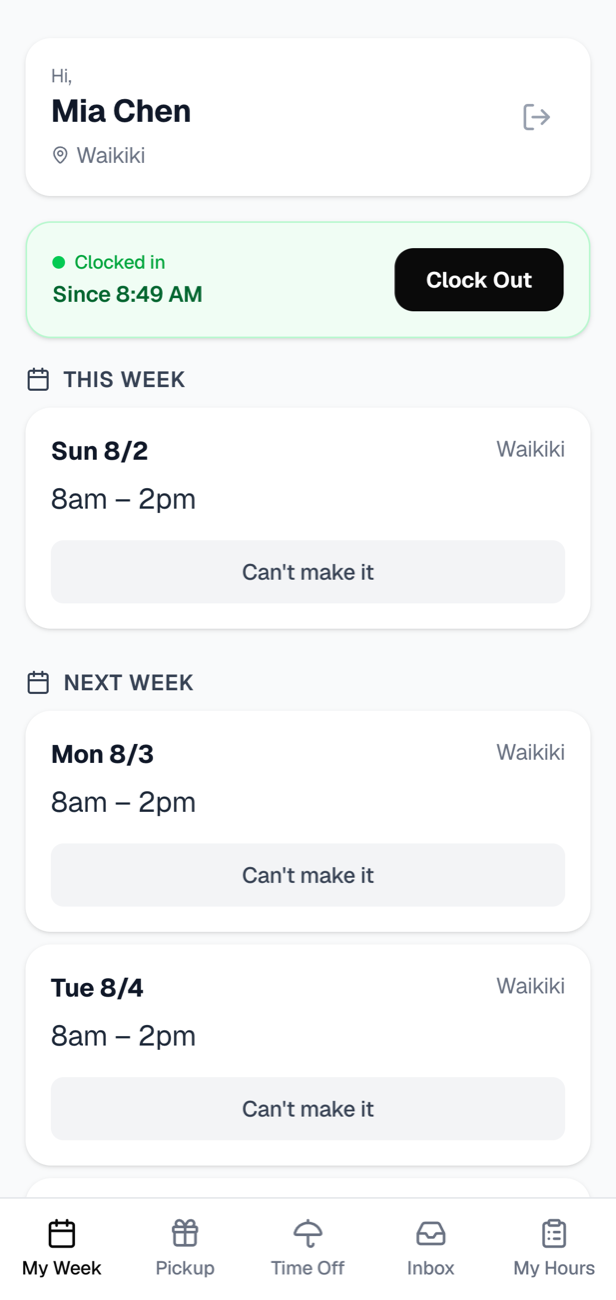
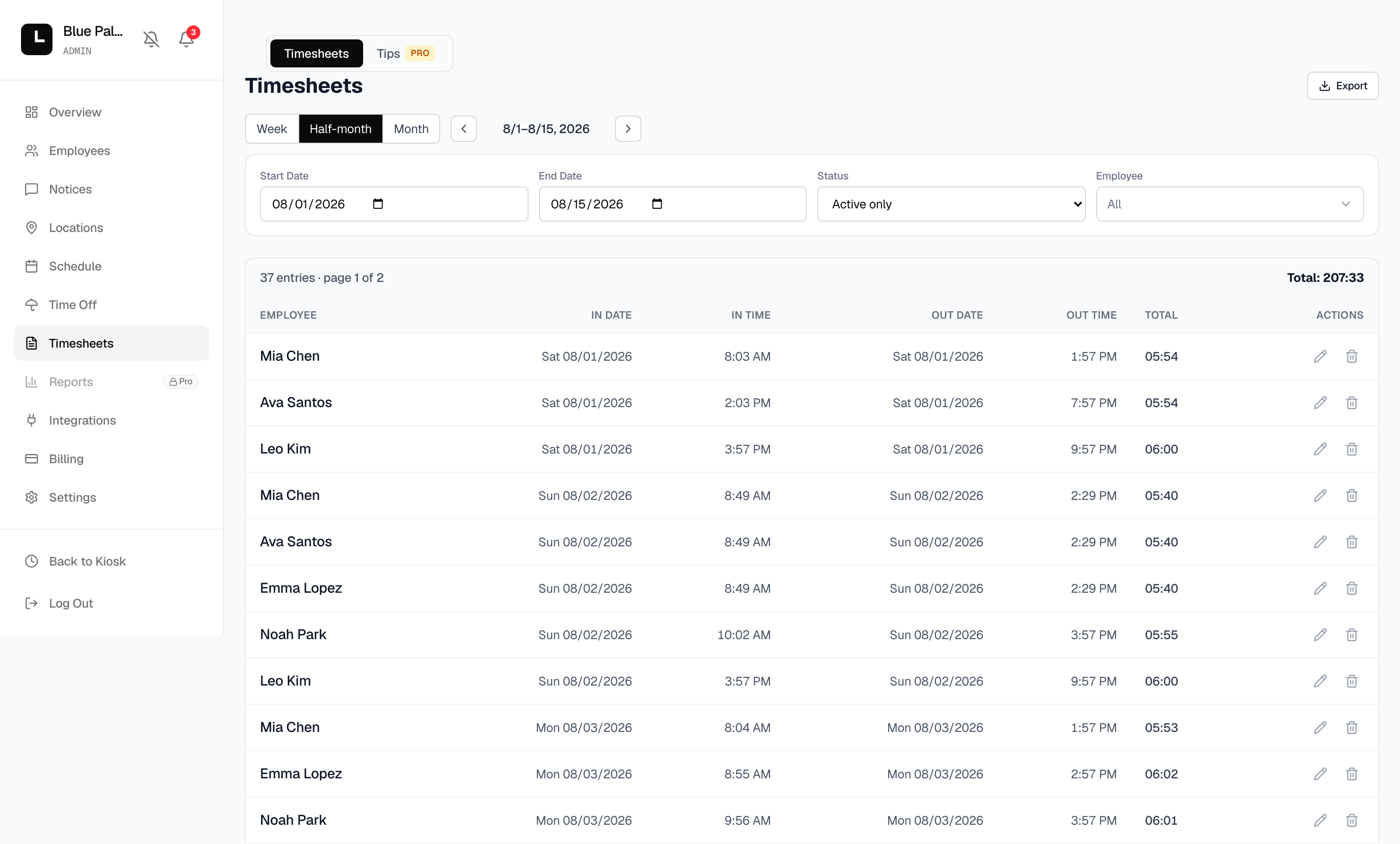
Payroll-ready hours.
Every punch totalled by pay period, overtime included. Email each person their PDF, or export the lot.
Same job. Lower price. Nothing hidden.
From competitors’ published pricing pages, August 2026.
Simple, honest pricing.
No contracts. Cancel anytime. Pay per location.
Free
For a single small team getting started.
- Up to 10 employees
- 1 location
- PIN clock-in + schedule
- Phone app for 5 staff
- GPS check
- Hours export
Basic
PopularEverything you need to run the floor.
- Everything in Free
- Unlimited employees
- Phone app for everyone
- Overtime + time-off
- Shift coverage
- Payroll PDFs
Pro
For owners who manage the numbers.
- Everything in Basic
- Tip pooling & payouts
- Multi-location reports
- Sales vs. labor % (soon)
Questions
Is the free plan really free?
Yes — up to 10 employees at one location, no credit card. Upgrade only when you grow.
When do I start paying?
You start free — no card. Add a card only when you upgrade to Basic or Pro, and billing begins that day. Month-to-month, cancel anytime.
Can I cancel anytime?
Yes. Plans are month-to-month — no contracts.
What if something breaks?
Report it from inside the app or email [email protected] — on every plan, Free included. A broken app is our problem, not a support ticket. How-to questions are answered by email on Basic and Pro.
Does it work with my POS?
Clokr runs on its own — no POS needed. Clover and Square connect on every plan.
Who is it for?
Any hourly team — restaurants, retail, salons, cafes, gyms, clinics.